Patterns of Digital Gardens
Four patterns that keep showing up in good digital gardens, with examples from three gardens I admire.
Digital gardens are emerging ways of creating and sharing knowledge that are deeply rooted in the spirit of the original gardens—a space for growth, reflection, and connection. They’re not just a series of posts; they’re evolving, living systems.
There isn’t “one and only” digital garden template, but certain patterns consistently appear in successful examples. Here are four: start immature, specify the intended audience, tell stories visually, and connect notes so readers can peek between them.
Pattern 1: Start Immature, Then Grow It
Unlike traditional blogs where posts are usually “ready for audience” from the get-go, digital gardens are born from notes. They’re often messy, half-formed thoughts, research snippets, and links.
This concept of “okay to publish immature thoughts” is important. One of its greatest advantages is that a publisher can hit “publish” without waiting for the drafts to turn into a finished product. This can reduce a tremendous amount of procrastination.
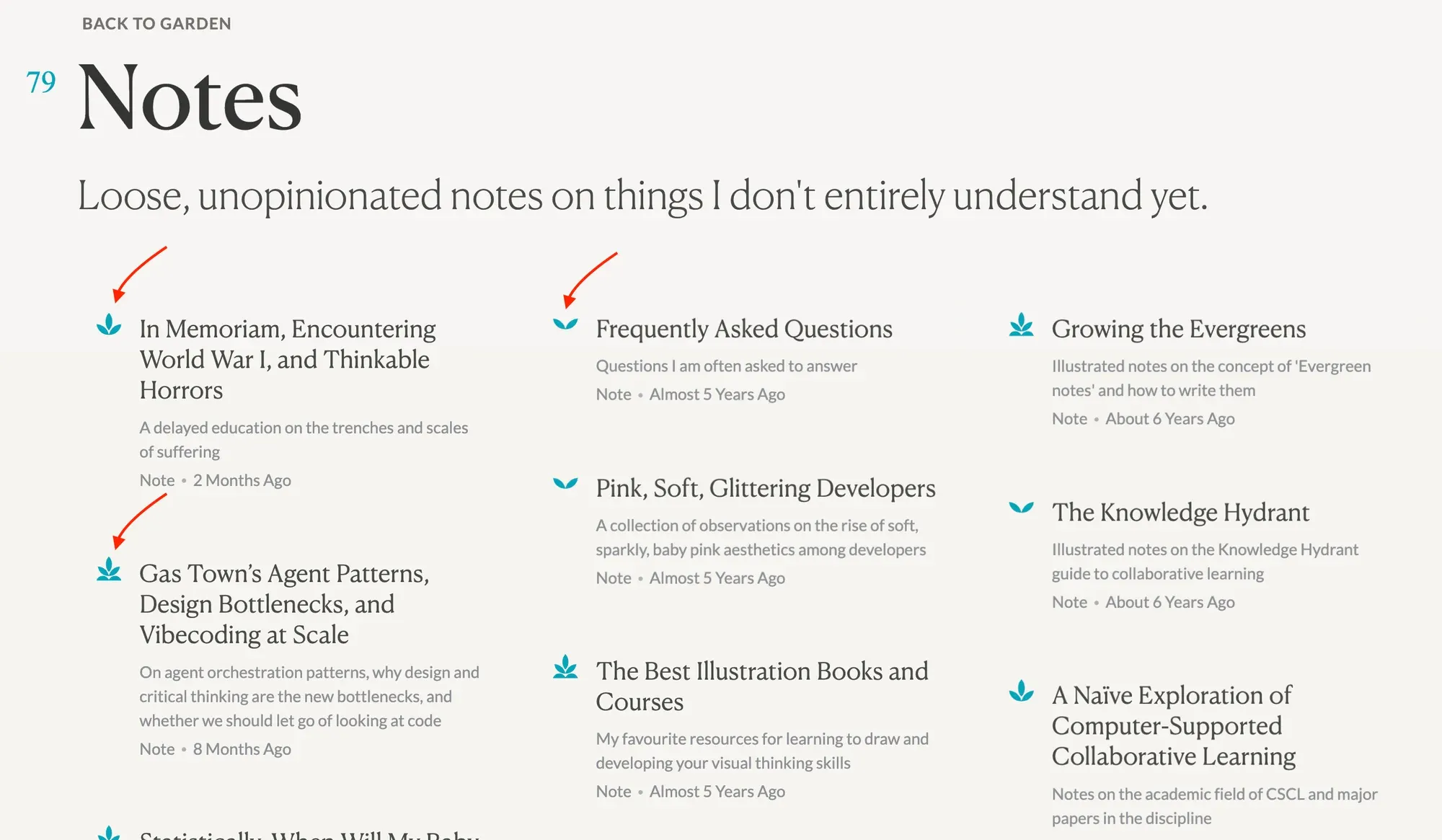
Often people like to display the “maturity” with labels. For example, in Maggie Appleton’s Digital Garden, the notes start from “seedling”, to “budding”, then finally to “evergreen”.
Pattern 2: Specify Intended Audience
Digital gardens tend to cover various fields of knowledge, so without proper guidance public readers might get lost easily. Specifying the intended audience helps visitors pick which part of the garden is relevant to their interests.

Pattern 3: Be Creative with Visual Storytelling
One of the core features of a digital garden is curating raw ideas into a digital format. Many kinds of knowledge work fine as plain text, but adding media such as images, video, and audio can help visitors immerse themselves in the world of the garden.
And you don’t have to stop at adding media. Since we’re using modern web technologies, we can add interactive elements, such as 3D models, adjustable plots, etc. The gif above is a good example of how the author displays 3D-like effects in a 2D web page, using CSS. Readers can not only “see” the information, but can also “play and interact” with it, which will significantly enhance their learning experience.
Pattern 4: Connect & Peek
A garden is a web, not a list. Notes link to each other, and the page you are reading shows what links back to it, so you can wander from one idea to the next instead of reading in date order.
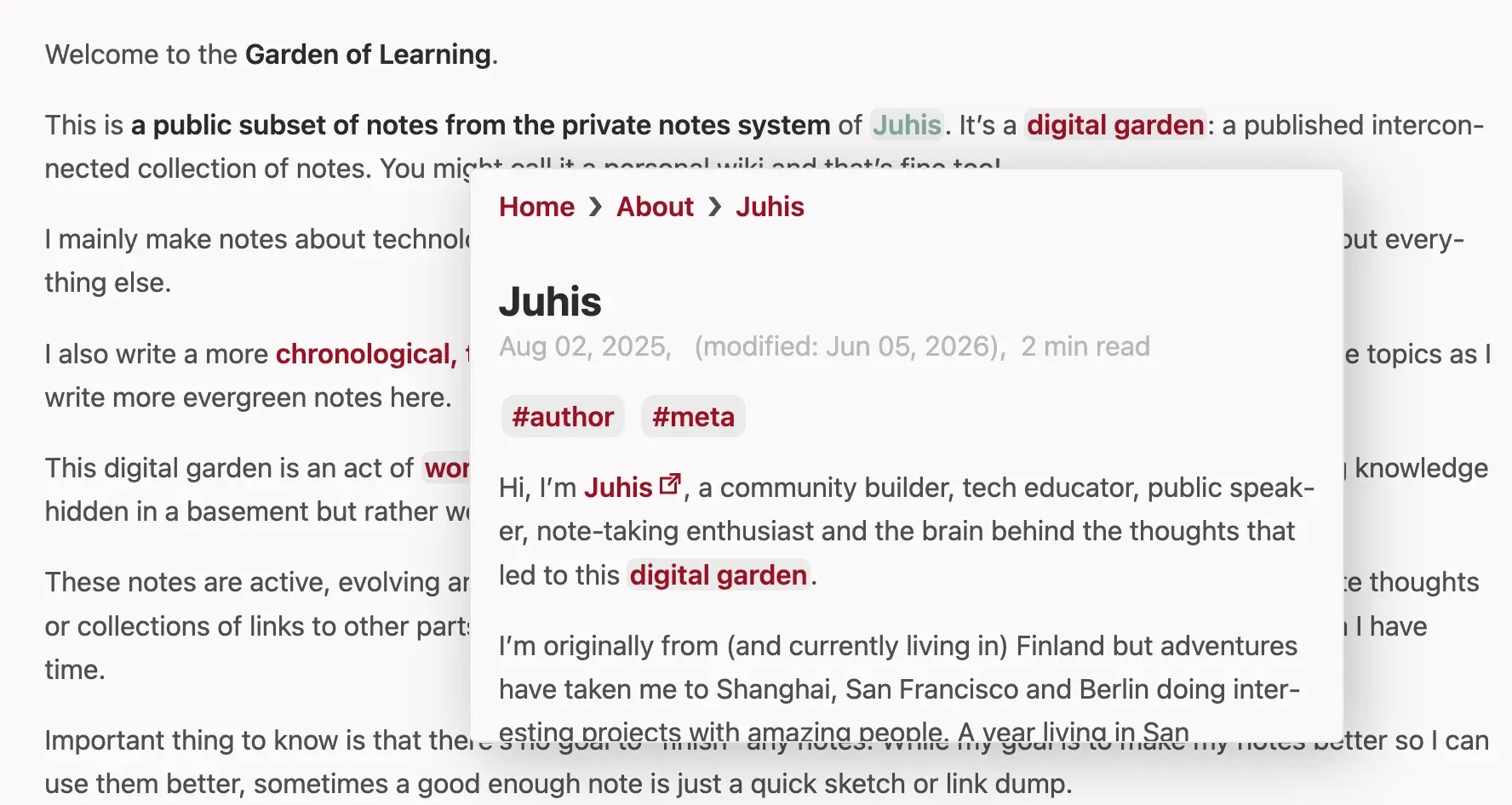
Good gardens also make wandering cheap with a peek: hover a link and a small card shows the note it points to, so you can decide whether to follow it without leaving the page. In the screenshot above, hovering “Juhis” in Juhis’s Garden of Learning opens his author note in place. This garden does the same, for notes, sections and even single paragraphs.
References
These three gardens are the ones that have most influenced how I designed my own. The screenshots above come from them: